Opening Story
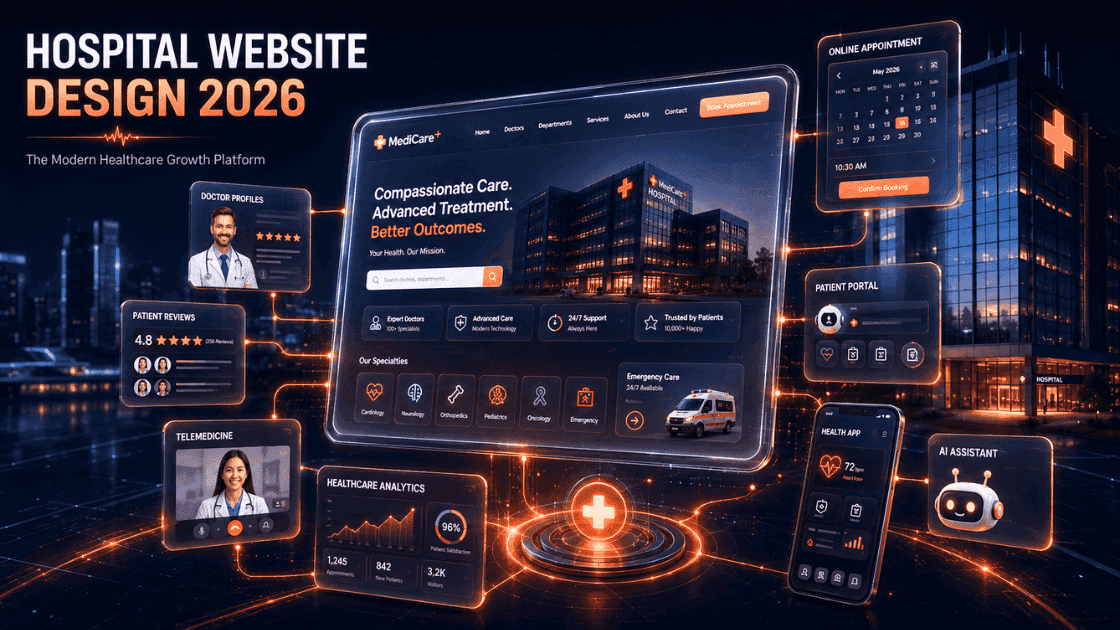
A practical 100-point hospital website design checklist for 2026 covering UX, doctor profiles, appointment booking, SEO, trust, security, mobile experience, analytics, and healthcare growth.
Digital Patient Journey
Every appointment begins long before the booking form.
Awareness
Next stage ↓
Trust Building
Next stage ↓
Consideration
Next stage ↓
Conversion
Next stage ↓
Retention
Common Mistake
Hospitals treat digital journeys as separate assets: website, ads, reviews, SEO, and follow-up all handled in isolation.
Key Takeaway
Patient acquisition improves when each digital touchpoint reduces confusion and moves the patient toward trust.
Best Practice
Map the journey from search to follow-up before spending more on traffic, redesign, or campaigns.
Introduction
Hospital website design is no longer a digital brochure exercise. In 2026, a hospital website is often the first clinical touchpoint a patient, family member, referring doctor, or corporate healthcare buyer experiences before contacting the organization.
Patients now research symptoms, compare specialists, check reviews, review treatment pages, evaluate hospital credibility, and look for booking options before they call reception. For many hospitals, the website is the place where patient trust either begins or breaks.
A modern healthcare website must answer practical patient questions quickly: Who will treat me? Is this hospital credible? Can I book easily? Is emergency information visible? Are the doctors qualified? Does the hospital understand my condition? Can I trust this team with my health?
This hospital website design checklist gives hospital owners, administrators, medical directors, marketing teams, and IT decision makers a structured way to evaluate what a modern healthcare website should include in 2026.
Use this checklist before redesigning a hospital website, planning a new hospital digital presence, auditing a clinic website, or comparing a healthcare website development company.
Why Hospital Websites Matter More Than Ever in 2026
Digital patient expectations
Patients expect healthcare websites to work like the best digital products they use every day. They want fast loading pages, simple navigation, visible booking options, clear doctor information, and answers that do not require multiple phone calls.
A hospital may have excellent clinical infrastructure, but if the website is confusing, outdated, or slow, patients may assume the overall experience will also be difficult. Digital friction creates clinical doubt, even when the care quality is strong.
Mobile-first healthcare users
Most healthcare searches begin on mobile. A patient may search while commuting, during lunch, late at night, or after a family member reports symptoms. Mobile-first hospital website design is therefore not optional. It directly affects appointment enquiries.
Mobile users need thumb-friendly navigation, click-to-call actions, WhatsApp support, short forms, fast pages, and easy access to directions. If the mobile experience is poor, the hospital loses patients before they reach a booking form.
Trust and credibility factors
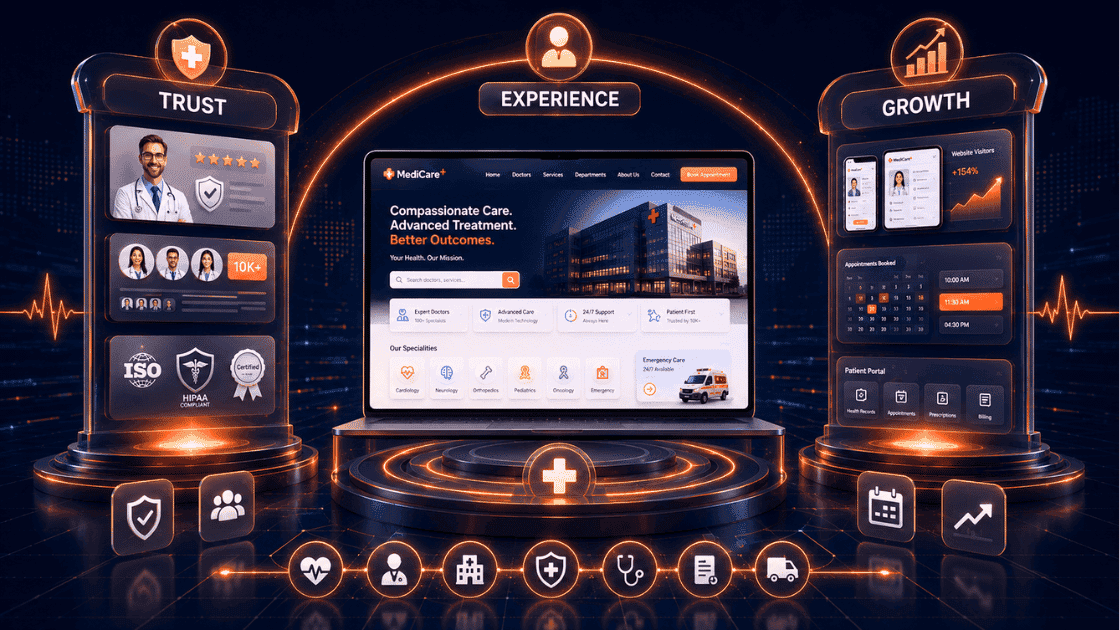
Healthcare decisions require higher trust than most other buying decisions. Patients look for doctor qualifications, hospital accreditation, reviews, case examples, treatment clarity, location details, pricing guidance where appropriate, and signs of professionalism.
A hospital website should reduce anxiety. Strong design, accurate medical content, transparent contact options, and visible proof signals help patients feel that the hospital is organized, safe, and capable.
Impact on patient acquisition
Hospital digital transformation is not only about technology. It is about making the path from patient need to hospital action easier. A better website can improve organic visibility, reduce wasted ad spend, increase appointment submissions, support doctors, and improve patient education.
For related planning, healthcare teams can review Sintyz pages such as Healthcare Website Design Services at /services/website-design, Healthcare SEO Services at /services/seo-services, Healthcare Digital Marketing Services at /services/social-media-marketing, Portfolio and Case Studies at /case-studies, and the Contact Page at /contactus.
Core Foundation Features Every Hospital Website Needs
Mobile responsive design
Responsive design means the hospital website adapts naturally across phones, tablets, laptops, desktops, and large displays. A patient should not need to pinch, zoom, rotate, or struggle to tap small buttons.
- Use responsive layouts for every hospital page, not only the homepage.
- Make doctor cards, department pages, booking forms, and maps easy to use on phones.
- Test common patient actions on 320px, 375px, 390px, 414px, and tablet widths.
Fast page loading speed
Hospital websites often become slow because of large images, unoptimized sliders, heavy scripts, embedded maps, tracking tools, chat widgets, and outdated hosting. Speed matters because patients may be anxious, impatient, or comparing multiple hospitals at once.
A modern medical website development process should include image optimization, caching, clean code, reliable hosting, and performance checks before launch.
Secure HTTPS implementation
A healthcare website must run on HTTPS. Patients will not trust appointment forms, contact forms, or medical enquiry pages if the browser marks the website as unsafe. Security also supports SEO and professional credibility.
Accessibility compliance
Hospitals serve diverse patients, including older adults, people with low vision, patients with temporary injuries, and caregivers using assistive technologies. Accessibility should be built into colors, typography, keyboard navigation, form labels, alt text, headings, and error messages.
Search-friendly architecture
Hospital SEO begins with website architecture. Departments, doctors, treatments, symptoms, locations, FAQs, and patient education pages should be structured in a way that both users and search engines can understand.
Homepage Essentials
Clear value proposition
The homepage should immediately explain who the hospital serves, what it is known for, and why patients should trust it. A vague headline such as "Committed to Excellence" does not help patients make decisions.
A stronger homepage message might clarify specialties, locations, emergency support, doctor strength, accreditation, or a patient-first promise.
Emergency contact visibility
If the hospital offers emergency care, emergency contact information should be visible immediately. Emergency patients and caregivers do not have time to search through navigation menus.
- Show emergency phone numbers in the header or a dedicated emergency strip.
- Add emergency department location and directions.
- Make ambulance or emergency support information accessible on mobile.
Appointment booking access
Appointment booking should be visible above the fold and repeated at key decision points. A user should never wonder how to contact the hospital after reading about a doctor or service.
Service navigation
The homepage should guide patients toward departments, doctors, treatments, diagnostics, packages, and location pages. Service navigation must be simple enough for first-time patients and detailed enough for high-intent users.
Trust-building elements
Trust elements should appear before patients are asked to book. These may include accreditation, years of service, doctor count, patient volumes, testimonials, Google ratings, awards, insurance partners, and treatment outcomes where legally and ethically appropriate.
Doctor Profile Features
Professional doctor profiles
Doctor website design is one of the most important parts of hospital website design. Many patients choose a hospital because of a specific doctor, not only because of the hospital brand.
Every major doctor should have a dedicated profile page or detailed profile section with a professional photograph, specialty, qualifications, experience, consultation timings, languages, and appointment access.
Qualifications and certifications
Patients want to know whether the doctor is qualified to treat their condition. Qualifications, fellowships, certifications, board memberships, and advanced training should be presented clearly without overwhelming the patient.
Areas of specialization
Generic doctor profiles are weak. A cardiologist profile should clarify whether the doctor handles preventive cardiology, interventional cardiology, heart failure, arrhythmias, or post-surgery follow-up. A gynecologist profile should clarify pregnancy care, infertility support, laparoscopy, menopause care, or high-risk obstetrics.
Experience highlights
Experience should be presented in patient-friendly language. Instead of only listing years, explain what the experience means: complex surgeries, multidisciplinary care, emergency handling, advanced diagnostics, or long-term chronic disease support.
Publications and achievements
Publications, awards, conferences, research work, and achievements add credibility for specialists. They should be organized clearly and not mixed with appointment information.
Appointment scheduling integration
A doctor profile should not end with a dead end. Patients should be able to book, call, WhatsApp, or request a callback directly from the doctor profile.
Patient Appointment Features
Online booking
Online appointment booking reduces friction for patients and reduces dependency on phone calls for the hospital team. Even if the hospital uses a manual confirmation process, the website should capture appointment intent clearly.
Real-time availability
Real-time availability is ideal when the hospital has the operational maturity to support it. If real-time availability is not possible, the website should still provide preferred date, preferred time, doctor selection, and callback confirmation.
Appointment confirmation
A patient should receive immediate confirmation that their request was received. Confirmation may happen through email, SMS, WhatsApp, or an on-screen thank-you page.
Automated reminders
Automated reminders reduce no-shows and improve patient preparedness. Reminders can include appointment time, location, doctor name, instructions, documents to bring, and rescheduling options.
Cancellation and rescheduling
Patients should be able to cancel or reschedule without frustration. A clear rescheduling pathway protects patient experience and helps the hospital reuse available slots.
Department and Service Pages
Individual specialty pages
Every major department should have a dedicated page. Orthopedics, cardiology, neurology, gynecology, urology, pediatrics, oncology, diagnostics, emergency care, and surgery should not be hidden inside one generic services page.
Individual specialty pages help patients understand services and help search engines understand what the hospital offers.
Treatment information
Treatment pages should explain symptoms, diagnosis, treatment options, expected process, recovery support, doctor involvement, and when to seek care. Medical content should be accurate, reviewed, and easy to understand.
FAQs
FAQs reduce repetitive calls and help patients overcome hesitation. Department FAQs should cover consultation, preparation, insurance, procedure expectations, recovery, and follow-up.
Patient education resources
Patient education resources can include articles, guides, videos, downloadable instructions, and condition explainers. These resources support trust and improve healthcare SEO.
Related services
Related services help patients move naturally through the website. A knee pain page may link to orthopedics, physiotherapy, diagnostics, sports injury care, and appointment booking. A pregnancy care page may connect to obstetrics, ultrasound, neonatal care, and delivery packages.
Patient Trust and Credibility Features
Patient testimonials
Testimonials help patients understand the human side of care. They should be specific, believable, and ethically presented. Avoid exaggerated claims or unverifiable outcomes.
Google reviews integration
Google reviews are often checked before a patient books. Hospitals should make review proof visible, encourage satisfied patients to leave reviews, and respond professionally to feedback.
Case studies
Case studies can demonstrate complex care journeys, multidisciplinary coordination, or operational improvements. They should protect patient privacy and avoid unsupported medical promises.
Success stories
Success stories should focus on process, patient support, recovery journey, team coordination, and service quality. They work best when they are written in a calm, professional healthcare tone.
Accreditation display
Accreditations, certifications, licenses, and quality standards should be visible in relevant places. They support credibility for both patients and institutional buyers.
Awards and recognitions
Awards can help when they are real and relevant. Avoid making awards the main message. Patients care most about doctor quality, safety, convenience, communication, and outcomes.
Healthcare SEO Features
Medical schema markup
Schema markup helps search engines understand hospital information, doctors, departments, FAQs, articles, addresses, reviews, and services. It does not replace strong content, but it supports search clarity.
Local SEO optimization
Local SEO is essential for hospitals and clinics because many searches include city, area, near me, emergency, specialist, or treatment intent. Location pages, consistent NAP details, embedded maps, and local content help.
Google Business Profile integration
The website should support Google Business Profile performance by linking to the profile, matching core business information, encouraging reviews, and providing accurate service and location details.
Keyword-focused service pages
A hospital should not depend only on the homepage for SEO. Each major service page should focus on a clear medical search intent, such as cardiology hospital in a city, knee replacement surgeon, maternity hospital, pediatric emergency care, or diagnostic center.
Internal linking structure
Internal linking helps patients and search engines. Department pages should link to doctors, treatments, appointment options, FAQs, blog articles, and related services. Sintyz service examples include /services/website-design, /services/seo-services, /services/social-media-marketing, /case-studies, and /contactus.
SEO-friendly URLs
URLs should be short, readable, and descriptive. A URL such as /services/cardiology is better than a long technical URL with numbers, parameters, or unclear labels.
Conversion Optimization Features
Strategic CTAs
Calls to action should match patient intent. A visitor reading about emergency care needs call and directions. A visitor reading a doctor profile needs book appointment. A visitor reading a treatment guide may need consultation, second opinion, or callback.
Contact forms
Contact forms should be short, clear, and privacy-aware. Ask only for what is needed to respond. Long forms reduce completion rates, especially on mobile.
Click-to-call buttons
Click-to-call buttons are essential on mobile. They should appear in the header, sticky contact areas, doctor profiles, service pages, and emergency sections where appropriate.
WhatsApp integration
WhatsApp is widely used for patient communication in many healthcare markets. A WhatsApp button can improve response rates when it is connected to a clear workflow and handled responsibly.
Lead tracking
Hospitals should track calls, forms, WhatsApp clicks, booking starts, booking completions, department enquiries, doctor profile engagement, and campaign landing page performance.
Content Marketing Features
Healthcare blog
A healthcare blog can support patient education, SEO, doctor authority, and trust. Articles should answer real patient questions rather than publish generic health tips.
Doctor articles
Doctor-authored or doctor-reviewed articles improve credibility. They also help patients understand the expertise available inside the hospital.
Patient education content
Patient education content should explain symptoms, prevention, diagnosis, treatment choices, preparation, recovery, and warning signs. It should be practical and medically responsible.
Video content
Short doctor videos, treatment explainers, facility walkthroughs, and patient guidance videos can improve engagement. Video should support clarity, not replace text content.
FAQ sections
FAQ sections should appear on service pages, doctor pages, appointment pages, insurance pages, and contact pages. They help patients make faster decisions and reduce support load.
Technical Features
Website security
Security includes HTTPS, safe form handling, spam protection, secure hosting, update discipline, role-based admin access, and protection from common vulnerabilities.
Backup systems
A hospital website should have reliable backups and a recovery plan. A technical issue should not make appointment information or emergency details unavailable for long.
Analytics integration
Analytics should track patient behavior while respecting privacy. Healthcare teams need to know which pages attract users, where patients drop off, and which channels produce quality enquiries.
Conversion tracking
Conversion tracking should separate phone calls, WhatsApp clicks, appointment submissions, contact forms, doctor profile clicks, and campaign-specific leads. Without tracking, marketing decisions become guesswork.
CRM integration
CRM integration helps teams follow up with patient enquiries, assign leads, monitor response times, and improve conversion from enquiry to appointment.
AI and Automation Features for 2026
AI chat assistants
AI chat assistants can help with service navigation, appointment intent, basic FAQs, location guidance, and routing. They should not provide unsafe medical diagnosis or replace clinical judgement.
Smart appointment support
Smart appointment support can suggest departments, collect required details, provide preparation instructions, and reduce back-and-forth communication.
Patient query automation
Automation can answer repeated administrative questions about timings, address, reports, accepted insurance, packages, consultation fees, and follow-up process.
Personalized patient journeys
Personalization can guide patients based on service interest, location, device, language, and previous touchpoints. In healthcare, personalization must be privacy-aware and carefully implemented.
Mobile Experience Requirements

Thumb-friendly navigation
Mobile navigation should be easy to tap, predictable, and compact. Patients should quickly find doctors, departments, booking, emergency, contact, and location.
Quick access actions
Mobile users need quick access to call, WhatsApp, book appointment, directions, and emergency contact. Sticky action bars can improve conversion when they do not block content.
Mobile booking process
A mobile booking process should require minimal typing, use clear labels, provide progress feedback, and confirm the request instantly.
Mobile performance optimization
Mobile performance depends on compressed images, efficient scripts, limited popups, clean CSS, optimized fonts, and fast hosting.
Common Hospital Website Mistakes
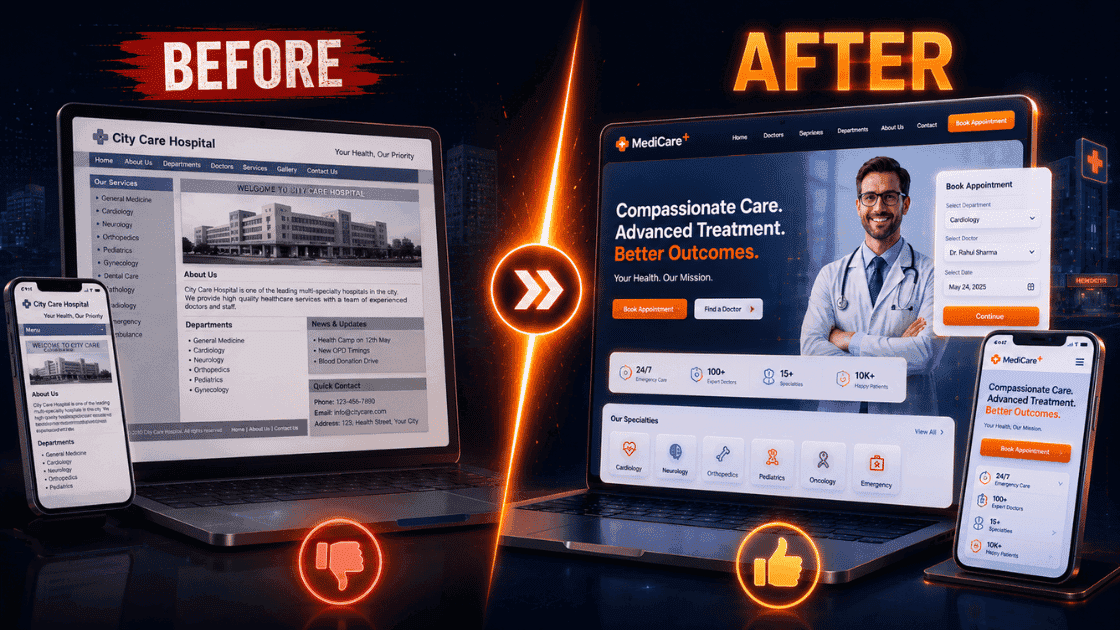
- Outdated design that makes the hospital look less credible than it is.
- Poor navigation that hides doctors, departments, emergency information, or appointment options.
- Missing doctor profiles that prevent patients from evaluating expertise.
- Slow loading speed caused by heavy images, sliders, scripts, or weak hosting.
- Weak SEO structure with generic pages instead of specialty, doctor, treatment, and location pages.
- Lack of conversion elements such as click-to-call, WhatsApp, appointment forms, callback requests, and tracking.
The most dangerous mistake is assuming that a hospital website is only a design asset. It is a patient acquisition, education, trust, and operations asset.
Complete 100-Point Hospital Website Design Checklist
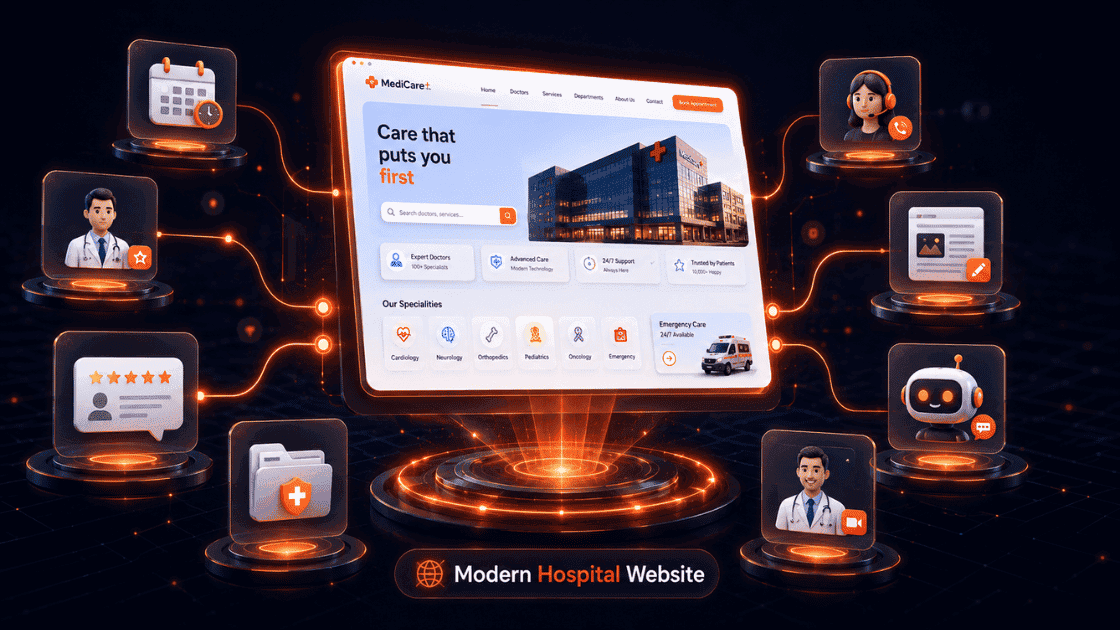
Use this 100-point checklist as a practical audit framework before planning a hospital website redesign or evaluating a healthcare web development partner.
Design and UX (20 points)
- Clear homepage headline explaining the hospital value proposition.
- Mobile responsive design across every key page.
- Fast visual hierarchy for departments, doctors, and appointments.
- Clean navigation with no unnecessary complexity.
- Emergency contact visible where relevant.
- Accessible color contrast and readable typography.
- Clear service categories for patients and caregivers.
- Trust signals placed before booking prompts.
- Professional hospital photography or credible visuals.
- Consistent brand language across pages.
- Breadcrumbs or navigation cues on deeper pages.
- Clear footer with contact and legal information.
- Minimal intrusive popups.
- Patient-friendly content blocks.
- Scannable sections with short paragraphs.
- Sticky or repeated CTAs where useful.
- No broken links or dead-end pages.
- Clear directions and location information.
- Helpful error states on forms.
- Simple pathways from research to appointment.
Doctor Profiles (10 points)
- Dedicated profile for each major doctor.
- Professional doctor photograph.
- Qualifications and certifications.
- Areas of specialization.
- Years of experience and clinical focus.
- Languages spoken.
- Consultation timings or availability guidance.
- Publications, awards, or achievements where relevant.
- Related department and treatment links.
- Appointment booking or callback CTA on each profile.
Appointment Booking (10 points)
- Online appointment request or booking flow.
- Doctor or department selection.
- Preferred date and time fields.
- Patient contact details captured clearly.
- Immediate confirmation message.
- SMS, email, or WhatsApp confirmation where available.
- Rescheduling or cancellation guidance.
- Booking CTAs on doctor and service pages.
- Form spam protection.
- Booking conversion tracking.
SEO (15 points)
- SEO-friendly URLs.
- Unique title tags and meta descriptions.
- Department-specific pages.
- Treatment-specific pages.
- Doctor profile pages indexed where appropriate.
- Local SEO location pages.
- Google Business Profile alignment.
- Medical schema markup.
- FAQ schema where useful.
- Internal linking between services, doctors, and education content.
- Optimized image alt text.
- XML sitemap.
- Robots.txt configured correctly.
- Core Web Vitals optimization.
- Healthcare blog or education content strategy.
Security (10 points)
- HTTPS enabled across the full website.
- Secure form handling.
- Admin access protected.
- Regular software updates.
- Backup and restore process.
- Malware monitoring.
- Spam protection on forms.
- Privacy policy visible.
- Terms and conditions visible.
- Patient data collection kept minimal and responsible.
Mobile Experience (10 points)
- Click-to-call visible on mobile.
- WhatsApp or quick enquiry available where appropriate.
- Mobile booking flow is easy to complete.
- Buttons are large enough to tap.
- Forms avoid unnecessary fields.
- Maps and directions work smoothly.
- Pages load quickly on mobile networks.
- Sticky actions do not block content.
- Navigation is compact and readable.
- Doctor and department cards are easy to scan.
Content and Trust (15 points)
- Clear hospital overview.
- Department descriptions written for patients.
- Treatment information pages.
- Patient FAQs.
- Testimonials or reviews.
- Accreditation and certification display.
- Awards and recognition where relevant.
- Insurance or payment guidance where applicable.
- Facility information.
- Patient education articles.
- Doctor-reviewed content process.
- Clear contact information.
- Visiting hours or practical patient details.
- Privacy-aware success stories.
- Consistent tone of care and professionalism.
Analytics and Marketing (10 points)
- Website analytics installed.
- Appointment submissions tracked.
- Phone clicks tracked.
- WhatsApp clicks tracked.
- Campaign landing pages tracked.
- Form abandonment reviewed.
- SEO rankings monitored.
- Google Business Profile activity reviewed.
- CRM or lead management integration.
- Monthly reporting process for marketing and leadership teams.
How to Evaluate Your Current Hospital Website
Self-assessment framework
Start with five patient tasks: find a doctor, understand a treatment, call the hospital, book an appointment, and get directions. Test these tasks on a mobile phone without internal knowledge of the hospital.
If any task feels slow, confusing, or incomplete, the website is creating friction. Hospital teams should also review search visibility, page speed, form completion, booking conversion, review proof, and content accuracy.
Red flags to identify
- The homepage does not clearly explain why a patient should choose the hospital.
- Doctor profiles are missing, thin, or outdated.
- Department pages are generic and not optimized for search.
- Appointment booking is hidden or difficult on mobile.
- Pages take too long to load.
- Reviews, accreditation, and trust signals are not visible.
- The website does not track calls, forms, WhatsApp clicks, or bookings.
Performance indicators
A hospital website should be evaluated by more than visual approval. Useful performance indicators include organic traffic, service page visits, doctor profile views, call clicks, WhatsApp clicks, form submissions, appointment conversion rate, local search visibility, review growth, and page speed.
Simple priority matrix for hospital teams
Hospital leaders often struggle because every website issue feels urgent. A priority matrix helps separate foundational fixes from growth improvements. The goal is not to redesign everything at once. The goal is to identify which problems are blocking patient trust, search visibility, or appointment conversion today.
Priority 1 should include anything that affects safety, access, or trust. Examples include broken appointment forms, missing phone numbers, poor mobile navigation, non-secure pages, incorrect doctor information, outdated emergency details, and pages that do not load properly. These issues should be fixed before cosmetic redesign work.
Priority 2 should include patient acquisition improvements. This includes department pages, treatment pages, doctor profiles, local SEO pages, Google Business Profile alignment, review visibility, internal linking, and appointment tracking. These features help the hospital attract and convert patients who are already searching online.
Priority 3 should include advanced growth and automation features. These may include AI chat assistants, CRM workflows, personalized patient journeys, advanced dashboards, marketing automation, and content campaigns. These features work best after the foundation is stable.
- High urgency and high impact: Fix immediately. Examples include broken forms, missing contact details, slow mobile pages, and inaccurate doctor information.
- High impact but medium urgency: Plan into the next improvement sprint. Examples include department SEO pages, doctor profile upgrades, and conversion tracking.
- Medium impact and medium urgency: Schedule after core patient journey issues are fixed. Examples include new content formats, video explainers, and advanced design refinements.
- Low impact or unclear impact: Do not prioritize until analytics or patient feedback proves the need.
This priority approach keeps hospital website design practical. It prevents teams from spending months debating colors, animations, or homepage banners while patients are still unable to find doctors, book appointments, or trust the hospital online.
Conclusion
Hospital website design in 2026 must combine patient experience, medical credibility, SEO, security, mobile performance, appointment conversion, and analytics. A modern hospital website should help patients understand, trust, and contact the hospital with confidence.
The 100-point checklist in this guide gives healthcare leaders a practical way to evaluate gaps and plan improvements. Not every hospital will implement every advanced feature immediately, but every hospital should know which features affect patient acquisition, trust, and operational efficiency.
The strongest healthcare websites are not rebuilt once and forgotten. They are continuously improved through patient feedback, search data, conversion tracking, content updates, doctor profile improvements, and technology upgrades.
If your hospital website is outdated, difficult to use, slow on mobile, weak in search, or not generating appointment enquiries, use this checklist as your starting point. A future-ready healthcare website can become one of the most valuable patient growth assets your hospital owns.
Expert Contributor
Expert ContributorSintyz Team
Healthcare Growth Strategists
Healthcare growth specialists focused on patient acquisition, medical website strategy, search visibility, and conversion systems.
Experience
5+ years
Specialization
Healthcare SEO, patient acquisition, and medical website strategy
FAQ
Frequently Asked Questions
A modern hospital website should include online appointment booking, doctor profiles, mobile responsiveness, patient reviews, service pages, fast loading speed, secure HTTPS, local SEO optimization, patient portals, and AI-powered support tools. These features improve patient experience and increase appointment conversions.
How Sintyz Helps Healthcare Organizations
Turn patient journey gaps into a growth system.
Healthcare SEO
Improve hospital and clinic visibility for high-intent patient searches.
Website Development
Build patient journeys that explain care, build trust, and drive appointments.
Doctor Branding
Strengthen expertise signals, profiles, authority content, and online reputation.
Lead Generation
Turn high-intent campaigns and treatment pages into qualified enquiries.
Marketing Automation
Improve follow-up, reminders, reviews, and patient communication workflows.